

Best Free Video Editing Software for PC 2026
Best Free Video Editing Software for PC 2026
In today’s content-focused digital world, choosing the right free video editing software is essential for YouTubers, filmmakers, digital marketers, and educators. DaVinci Resolve has earned a strong reputation as a professional-grade solution that combines power, flexibility, and long-term value.
.What truly sets this software apart is its free edition, which already includes advanced tools that many paid editors cannot offer. This makes it a smart option for beginners and professionals alike.
Originally developed by Blackmagic Design, the software began as a dedicated color grading system used in Hollywood studios. Over time, it evolved into a complete post-production platform covering editing, color correction, visual effects, motion graphics, and audio production in one application.
What Is DaVinci Resolve?
DaVinci Resolve is an all-in-one post-production software available on Windows, macOS, and Linux. It allows creators to edit, grade, add effects, and mix audio without switching between multiple programs.
Unlike traditional workflows that rely on separate tools for editing and sound, this unified environment improves efficiency and keeps projects organized. It works well for new editors learning professional techniques and for experienced users handling complex productions.
Free Version vs Studio Version
One major reason for its popularity is the powerful free version.
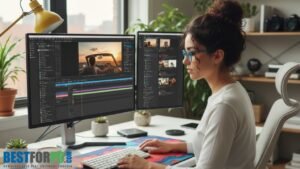
Free Edition
The free version includes:
- Non-linear video editing
- Professional color correction tools
- Built-in Fusion visual effects
- Fairlight audio editing and mixing
- Support for most common formats
- Unlimited exports with no watermark
For YouTubers, freelancers, and students, this version is often more than sufficient.
Studio Edition
The paid Studio version adds:
- AI-powered editing tools
- Advanced noise reduction
- Motion blur and HDR grading
- Multi-user collaboration
- Improved GPU performance
Since it is a one-time purchase rather than a subscription, many professionals find it cost-effective in the long run.
Key Features Explained
Professional Video Editing
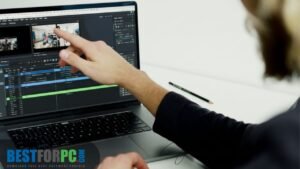
The Cut Page is designed for speed, while the Edit Page offers detailed timeline control. Together, they allow precise trimming, transitions, and multi-track editing for both short and long-form content.
Custom shortcuts and flexible layouts help streamline the workflow.
Advanced Color Grading
Color grading remains the strongest area of this software. The node-based system provides deep control over exp
osure, contrast, and color balance.
Key tools include:
- Color wheels and curves
- LUT support
- HDR grading
- Masking and object tracking
- Professional scopes
This technology is widely used in film and television production.
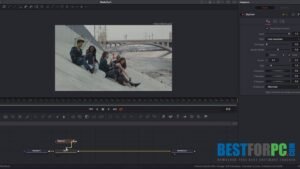
Fusion Visual Effects
The integrated Fusion engine enables:
- Motion graphics
- Text animation
- Green screen effects
- Visual compositing
- Custom transitions
Although node-based workflows take time to learn, they offer unmatched flexibility.
Fairlight Audio Tools
Audio editing is handled through the Fairlight page, which includes:
- Multi-track audio timelines
- Noise removal and voice isolation
- Equalizers and compressors
- Surround sound mixing
This eliminates the need for separate audio software in most projects.
Export and Delivery Options
Projects can be exported for:
- YouTube
- TikTok
- Broadcast and cinema formats
With capable hardware, resolutions up to 8K are supported.
Recommended System Requirements
For smooth performance:
- RAM: 16 GB minimum (32 GB recommended)
- CPU: Modern multi-core processor
- GPU: Dedicated GPU with 4–8 GB VRAM
- Storage: SSD or NVMe drive
- OS: Windows 10/11, macOS, or Linux
High-resolution timelines and heavy grading benefit from stronger GPUs.
Why This Software Stands Out
Compared to many competitors, it offers:
- No monthly fees
- Powerful tools in the free version
- Regular feature updates
- Strong GPU optimization
- A single workflow for editing, effects, and audio
These advantages make it a serious alternative to subscription-based editors.
Who Should Use It?
This editor is well-suited for:
- Content creators and vloggers
- Independent filmmakers
- Marketing professionals
- Online educators
- Freelancers and agencies
- Editors learning industry workflows
It adapts well to both social media content and cinematic projects.
Beginner Tips
If you are just starting:
- Begin with the Cut Page
- Use proxy files for smooth playback
- Learn basic color correction first
- Save projects regularly
- Follow official tutorials
The learning curve exists, but the payoff is worth it.
Safety and Legality
The software is:
- Fully legal
- Safe when downloaded from the official website
- Free from watermarks in the free version
- Trusted by professionals worldwide
Avoid third-party download sites to prevent security risks.
Final Verdict
DaVinci Resolve 2026 remains one of the strongest video editing solutions available today. Its free edition delivers exceptional value, while the Studio version offers advanced features for demanding workflows.
If you want professional-quality results without committing to monthly payments, this software is a reliable long-term choice and an excellent investment in your editing skills.
You can download from our website DaVinci Resolve