

Whisk AI Review 2026: Beginner to Pro Guide for Smarter Image Creation
What Is Whisk AI?
Whisk AI Review 2026: Beginner to Pro Guide for Smarter Image Creation
Artificial intelligence now makes it easier for anyone to create visuals. Tools are simpler, faster, and more creative. Whisk AI from Google Labs is one of the most interesting new options.
Unlike most AI image generators that rely on long text prompts, this AI tool uses a new approach. You create images using other images instead of words. This helps beginners who find prompt writing hard, but still gives advanced users plenty of options.
This Whisk AI review covers what it is, how it works, its main features, real-life examples, and a step-by-step guide for all skill levels. If you want a clear and practical review, you’re in the right place.
What Is Whisk AI?
Whisk AI is an experimental image remixing tool from Google Labs. Instead of typing detailed prompts such as “A futuristic city at night with neon lights,” you simply upload images to convey your ideas.
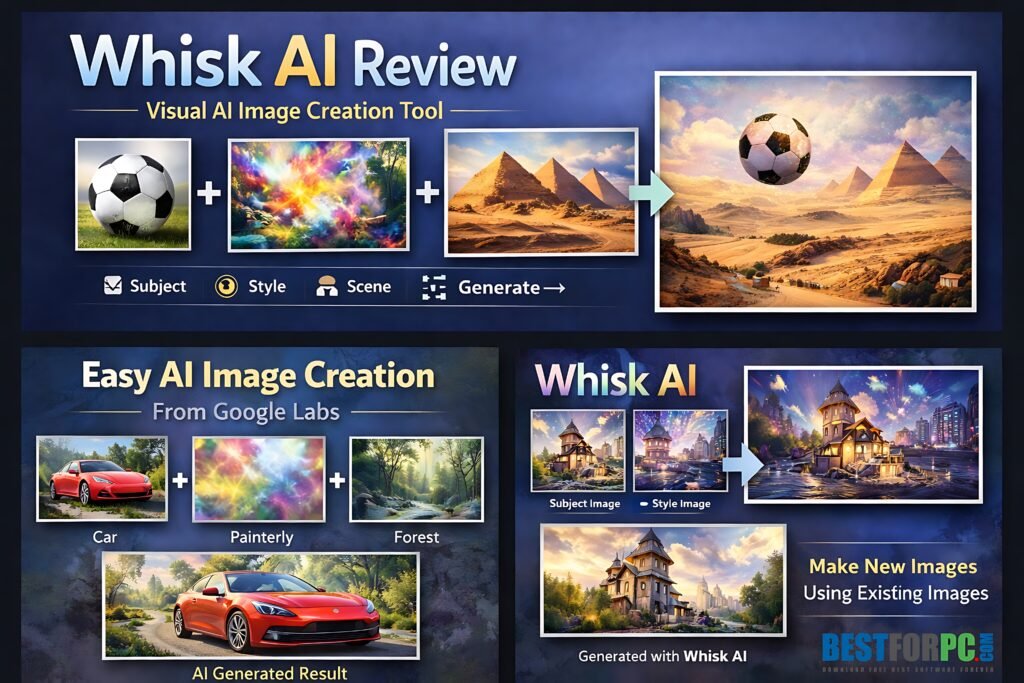
Whisk AI lets you combine:
- A subject image (what the image is about).
- A style image (how the image should look).
- A scene image (where the subject exists).
The AI combines these visual elements to generate a unique image. While you can add short text prompts, images remain the primary method for guiding the tool.This approach makes whisk tools more visual, user-friendly, and accessible for beginners compared to text-based tools.
Why Whisk AI Is Different From Other AI Image Tools
Most AI image generators need you to write detailed prompts. This works for advanced users, but beginners often find it hard to explain ideas in words.Whisk AI fixes this by letting you use images instead of words.Key differences:
- No need for complex prompt writing.
- Faster idea exploration.
- Better control over visual style.
- More natural creative workflow.
Think of Google Labs image tool as a visual mood board powered by AI, not just another image generator.
This experimental AI Key Features Explained Simply
Image-Based Prompting
This is Whisk AI’s main feature. Instead of writing your idea, you upload reference images.
For example:
- Upload a photo of a cat as the subject.
- Upload a watercolor painting as the style.
- Upload a street photo as the scene.
Whisk AI blends all three to produce a creative image.
Subject, Style, and Scene Separation
This experimental AI clearly separates creative elements:
- Subject: main object or character.
- Style: art style, colors, mood.
- Scene: background or environment.
Separating these elements provides greater control and makes it easier to experiment with new ideas.
Optional Text Prompts
If you want more control, add short text prompts. These help fine-tune lighting or mood, but you don’t have to use them.
Fast Image Generation
Google Labs image tool creates images fast, so it’s great for brainstorming and trying ideas. You can test several concepts in a few minutes.
Experimental and Creative Freedom
Because Whisk AI is experimental, it encourages you to play and try new things. There are no strict rules, which is great for artists, marketers, and content creators.
Who Should Use Whisk AI?
Whisk AI isn’t just for designers. It’s helpful for many different users, including:
- Beginners who hate writing AI prompts.
- Content creators and bloggers.
- Graphic designers looking for inspiration.
- Social media managers.
- Marketers and brand designers.
- Students learning visual creativity.
- Anyone who prefers visual thinking.
If you can choose images, you can use Whisk AI.
Step 1: Access Whisk AI
Go to the official Google Labs Whisk AI site and sign in with your Google account. Since it’s experimental, it might not be available everywhere yet.
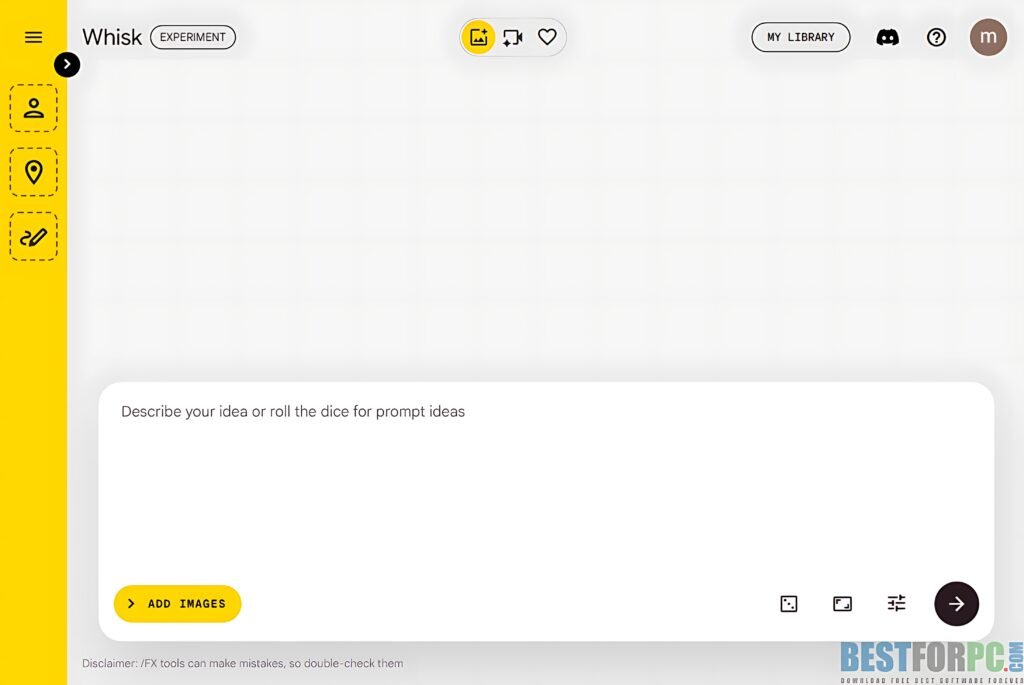
Step 2: Choose a Subject Image
Upload or select an image that represents the main focus. This could be:
- A person.
- An object.
- An animal.
- A product photo.
The clearer your subject image, the better your results.
Step 3: Add a Style Image
This defines the artistic look. Examples:
- Oil painting
- Anime art
- Minimalist illustration
- Cinematic photography
The style image you choose has a big impact on the result. Step 4: Select a Scene Image
The scene sets the environment. This could be:
- A city street
- A forest
- A room interior
- A fantasy world
If you skip this step, Whisk AI will choose a background for you.
Step 5: Optional Text Refinement
Add short phrases like:
- “Soft lighting”
- “High contrast”
- “Dreamy mood”
Don’t use long descriptions. Keep it simple.
Step 6: Generate and Review
Click generate and look at the result. If it’s not right, change one image at a time and try again.
Intermediate Tips: Getting Better Results
Once you know the basics, small changes can make a big difference.
Use High-Quality Images
Use clear, high-resolution images for the best results. Avoid blurry pictures.
Match Image Intent
If your subject looks realistic, pick a realistic style image too. Mixing different styles can give you unexpected results.
Change One Element at a Time
If the results aren’t right, change just the subject or style, not everything at once. This helps you see how whisk tool uses your inputs.
Save Good Results
The Whisk tool is great for exploring ideas. Save the images you like and improve them later with design tools.
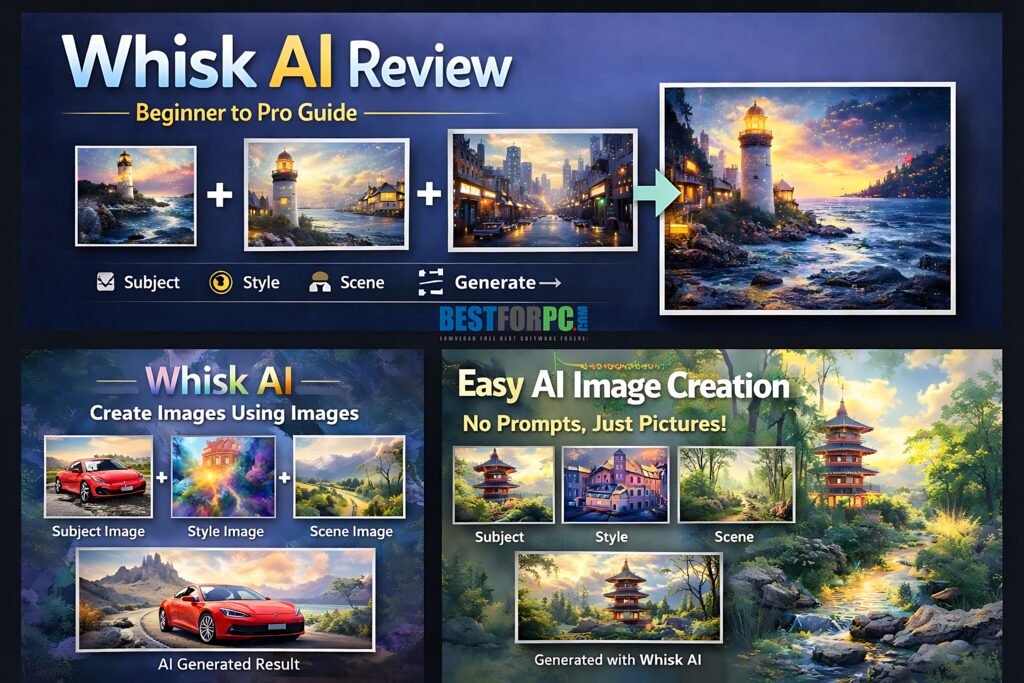
If you’re more advanced, you can use the Whisk tool as part of a larger creative process.
Brand Mood Board Creation
Upload brand colors, product photos, and style references to generate consistent visual concepts.
Social Media Campaign Planning
Create multiple variations of a concept for ads, posts, or banners without starting from scratch.
Concept Art and Storyboarding
Whisk AI is useful for early concept art. It helps you see your ideas before you start design work.
AI + Manual Editing Workflow
Start with google Labs whisk tool to make base visuals, then improve them in Photoshop, Figma, or Illustrator.
Whisk AI Use Cases in Real Life
- Blog featured images
- Website hero sections
- YouTube thumbnails
- Social media creatives
- Product concept visuals
- Presentation slides
- Educational materials
This saves time and helps spark creativity.
Whisk AI Pros and Cons
Pros
-
- Extremely beginner-friendly.
- No prompt engineering required.
- Fast idea generation.
- Strong visual control.
- Free to experiment.
Cons
-
- Experimental tool with limitations.
- Output consistency can vary.
- Limited advanced customization.
- Not ideal for final production assets.
Whisk AI Free?
Right now, Whisk AI is available as an experimental tool through Google Labs. Pricing and long-term access may change as development continues.
The Whisk Tool vs Traditional AI Image Generators
The Whisk tool is made to support visual thinking, while traditional tools rely on text-based prompts. Neither approach is perfect for everyone, but Whisk is more accessible for beginners and people who prefer working visually.
Final Verdict: Is Whisk AI Worth Using?
Yes, especially for people who like to think in images instead of text.
The Whisk tool isn’t meant to replace professional design tools. Instead, it focuses on speed, creativity, and accessibility. Beginners can make great visuals without special skills, and advanced users can brainstorm and develop concepts faster.
As Google Labs keeps improving Whisk AI, it could become a valuable tool for creative professionals. If you want something intuitive, visual, and easy to use, Whisk AI is worth a look.